
KSOU Student Login, LMS Portal, ABC ID and DEB ID Guidelines
Fast facts
| Online Programmes Portal Login Field | Login ID / User Name |
|---|---|
| LMS Login Field | |
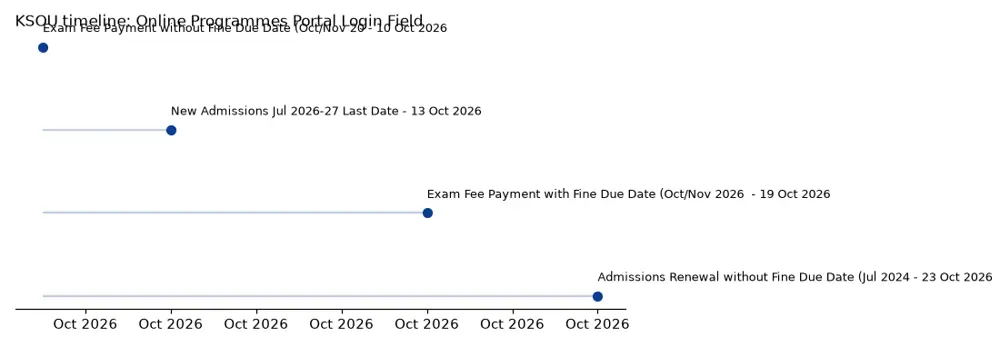
| New Admissions Jul 2026-27 Last Date | 13 October 2026 |
| Exam Fee Payment without Fine Due Date (Oct/Nov 2026 Exams) | 10 October 2026 |
| Exam Fee Payment with Fine Due Date (Oct/Nov 2026 Exams) | 19 October 2026 |
| Admissions Renewal without Fine Due Date (Jul 2024-25, Jul 2025-26) | 23 October 2026 |
| Online Programmes Helpline Mobile | +91 9141181241, +91 9740740340 |
On this page
- KSOU Student Login Portals Overview
- KSOU Online Programmes Portal Login Procedure
- KSOU Online Programmes Portal New User Registration
- KSOU Online Programmes Portal Account Recovery
- KSOU Learning Management System (LMS) Login Procedure
- KSOU LMS Password Recovery and New User Registration
- KSOU Student Zone Access and Resources
- KSOU ABC ID and DEB ID Creation Process
- KSOU Important Dates for Admissions, Renewals, and Examinations
- KSOU Examination Fee Payment Process
- KSOU Admissions Renewal Process
- KSOU Grievance Submission Procedure
- KSOU Contact Information for Online Programmes
- KSOU Online Programmes Portal Enquiry Form Submission
- KSOU pages you will need
- Download KSOU Official Documents
- Questions Students Ask About KSOU
- In this section
KSOU Student Login Portals Overview
KSOU provides several online portals for its students to manage admissions, academic activities, and other services. These include the Student Zone, the Learning Management System (LMS), and the Online Programmes Portal.
Each portal serves different functions, requiring specific login credentials or providing access to distinct student resources. Students should use the appropriate portal for their intended task.
KSOU Online Programmes Portal Login Procedure
The KSOU Online Programmes Portal is used for new admissions, fee payments, and other related activities. Existing users can sign in using their registered credentials.
The portal also provides options for new user registration and account recovery for those who have forgotten their login details.
- Navigate to the KSOU Online Programmes Portal.
- Locate the ‘Login’ section on the page.
- Enter your ‘Login ID / User Name’ in the designated field.
- Enter your ‘PASSWORD’ in the respective field.
- Click the ‘Sign In’ button to access your account.
KSOU Online Programmes Portal New User Registration
New students who have not yet registered on the KSOU Online Programmes Portal can create an account. This is typically the first step for new admissions.
The registration process allows students to set up their login credentials for future access to the portal.
- Visit the KSOU Online Programmes Portal.
- Under the ‘Login’ section, find and click the ‘Register Here’ link next to ‘Not Registered ?’.
- Follow the on-screen instructions to complete the new user registration process.
More from KSOU
KSOU Online Programmes Portal Account Recovery
Students who have forgotten their password for the KSOU Online Programmes Portal can initiate an account recovery process. This helps regain access to their student account.
The recovery process is designed to verify the student’s identity and allow them to reset their password securely.
- Go to the KSOU Online Programmes Portal.
- Under the ‘Login’ section, click the ‘Click Here’ link next to ‘Having Trouble Signing In ?’.
- This will redirect you to the KSOU Account Recovery page to proceed with password retrieval.
KSOU Learning Management System (LMS) Login Procedure
The KSOU Learning Management System (LMS) is the platform for online academic activities. Students can access course materials, submit assignments, and engage with their studies here.
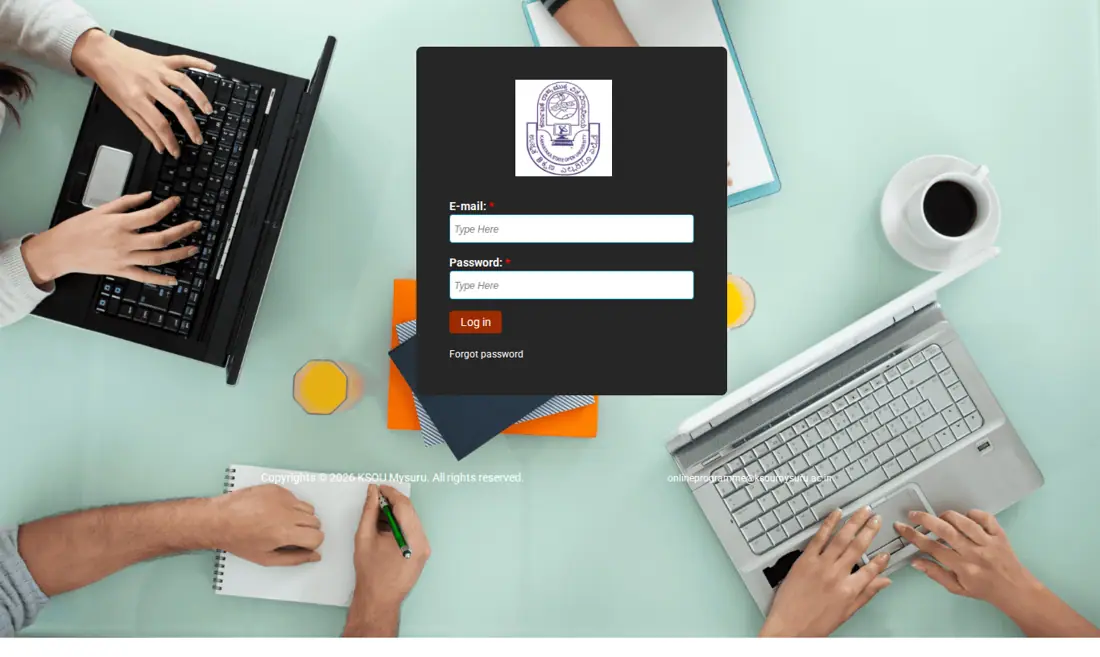
Login to the LMS requires a registered email address and password.
- Access the KSOU LMS Login page.
- Enter your registered ‘E-mail’ address in the first field.
- Input your ‘Password’ in the second field.
- Click the ‘Log in’ button to enter the LMS.
KSOU LMS Password Recovery and New User Registration
For students who cannot recall their LMS password, a recovery option is available directly on the login page. This helps in resetting access to the learning platform.
New users can also register for the LMS if they have not done so previously, enabling them to access their online courses.
- To recover a forgotten password, click the ‘Forgot password’ link on the KSOU LMS Login page.
- For new user registration, click the ‘New User? Register’ link on the KSOU LMS Login page.
KSOU Student Zone Access and Resources
The KSOU Student Zone is a central hub providing access to various student-related information and services. It acts as a gateway to different sections relevant to a student’s academic journey.
Students can find information on assignments, scholarships, examination details, and other essential resources within this zone.
- Assignments
- Scholarship
- Alumni
- Admission
- Examinations
- Results
- Old Question Papers
- Feedback
- Grievance
- Radio Lectures
- Online Programmes
- Library
- Gallery
KSOU ABC ID and DEB ID Creation Process
KSOU requires students to create an Academic Bank of Credits (ABC) ID and a Digital Education Board (DEB) ID. These IDs are essential for academic record management and digital verification.
The university has published a detailed process for creating these IDs, including specific instructions for Non-Resident Indian (NRI) students.
- The process for creating ABC ID and DEB ID is available in a notification published on 5 October 2026.
- A separate process for ABC ID and DEB ID creation is provided for NRI students, also published on 5 October 2026.
KSOU Important Dates for Admissions, Renewals, and Examinations
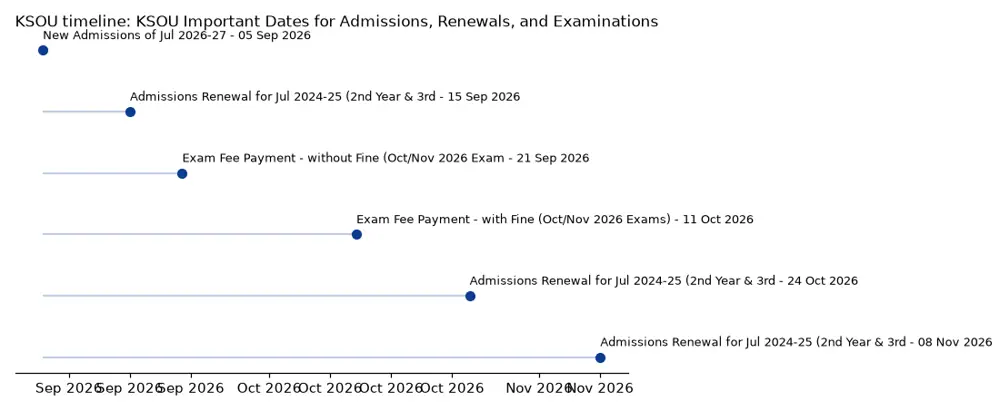
KSOU has announced important dates for new admissions for the July 2026-27 session, examination fee payments for the October/November 2026 exams, and admissions renewal for various batches.
Students must adhere to these deadlines to avoid fines or missing out on important academic activities.
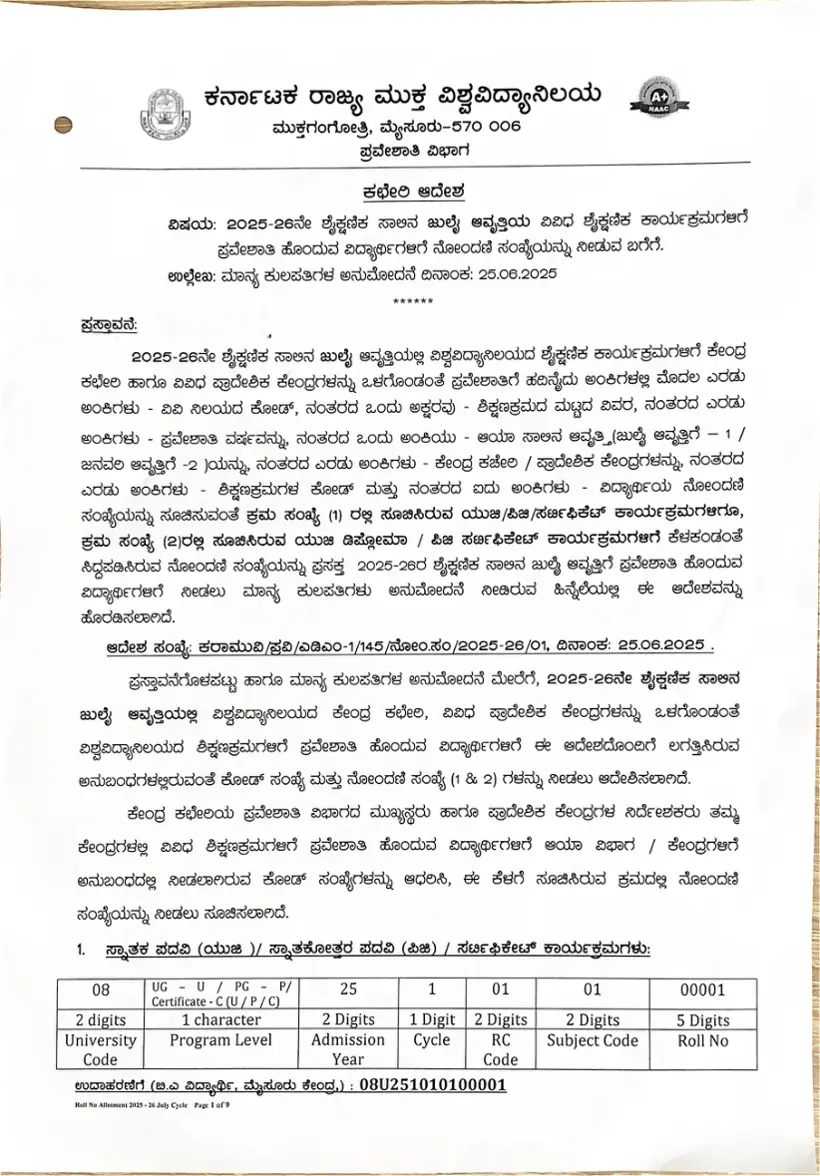
KSOU Important Events and Dates (as of 12 October 2026)
| Activity | Start Date | Last Date |
|---|---|---|
| New Admissions of Jul 2026-27 | 05 September 2026 00:00 | 13 October 2026 23:59 |
| Exam Fee Payment – without Fine (Oct/Nov 2026 Exams) | 21 September 2026 00:10 | 10 October 2026 23:59 |
| Exam Fee Payment – with Fine (Oct/Nov 2026 Exams) | 11 October 2026 2026 00:00 | 19 October 2026 23:59 |
| Admissions Renewal for Jul 2024-25 (2nd Year & 3rd Year) and Jul 2025-26 (2nd Year) without Fine | 15 September 2026 00:00 | 23 October 2026 23:59 |
| Admissions Renewal for Jul 2024-25 (2nd Year & 3rd Year) and Jul 2025-26 (2nd Year) with Fine of Rs.200/- | 24 October 2026 00:00 | 07 November 2026 23:59 |
| Admissions Renewal for Jul 2024-25 (2nd Year & 3rd Year) and Jul 2025-26 (2nd Year) with Fine of Rs.400/- | 08 November 2026 00:00 | 16 November 2026 23:59 |
KSOU Examination Fee Payment Process
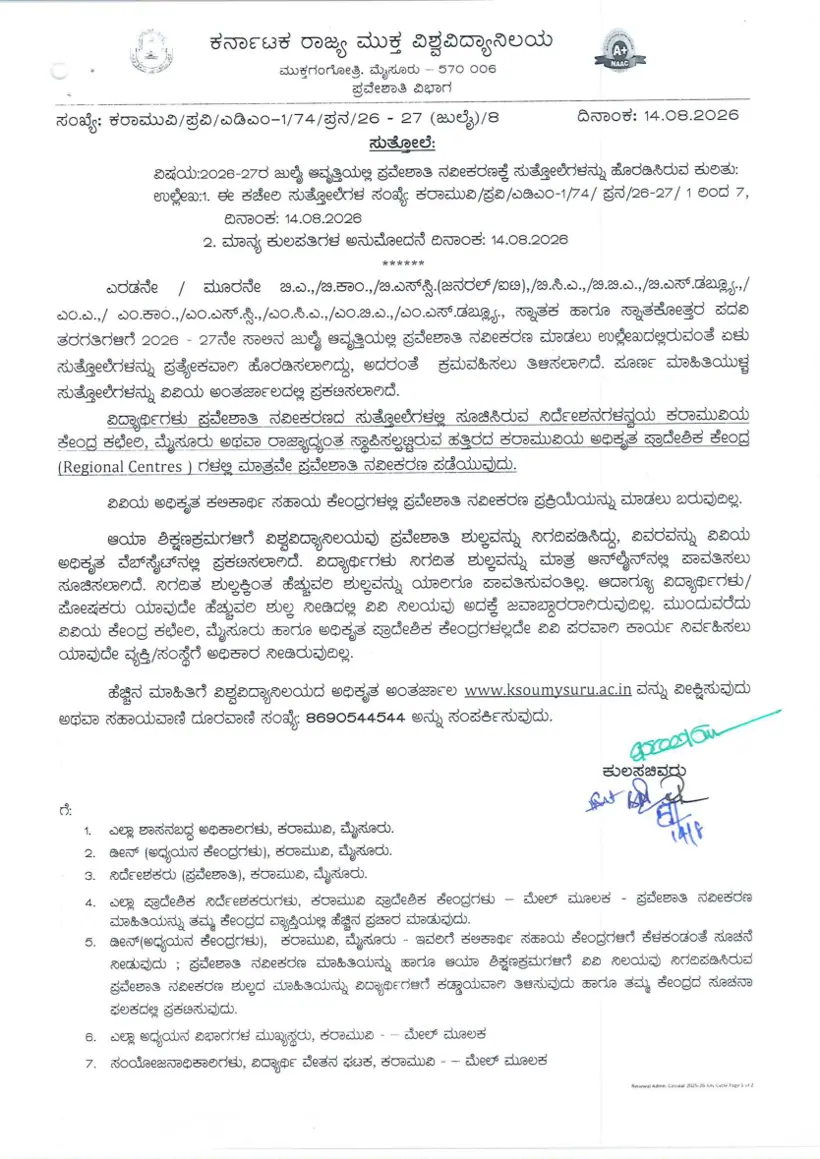
KSOU has issued a notification regarding the examination fee payment for the October/November 2026 exams. Students must pay the required fees by the specified deadlines.
A user manual detailing the examination fee payment process is available to guide students through the steps.
- Exam Fee Notification for Oct / Nov 2026 Exams was published on 5 October 2026.
- A ‘Exam Fee Payment Process’ user manual is available for guidance.
KSOU Admissions Renewal Process
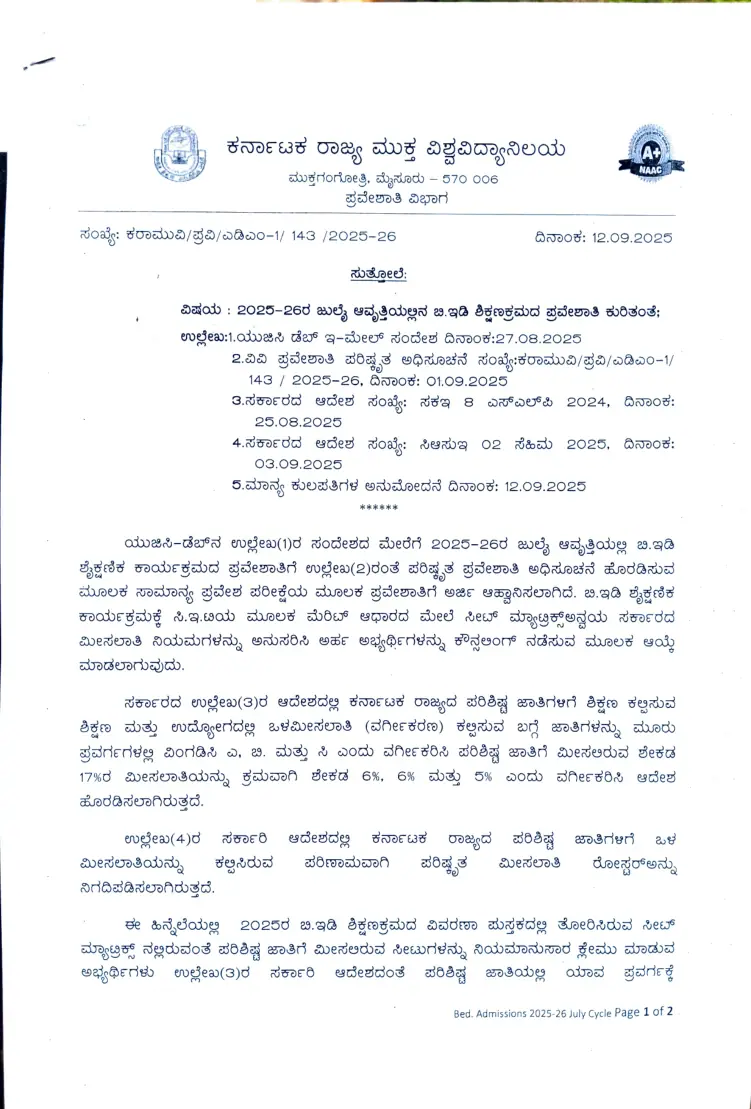
KSOU has released a notification for admissions renewal for the 241 and 251 Batches. This applies to students continuing their studies in subsequent years.
The notification specifies the deadlines for renewal, including provisions for payments with late fines.
- Admissions Renewal Notification for 241 & 251 Batches was published on 5 October 2026.
- The notification covers renewal for Jul 2024-25 2nd Year & 3rd Year and Jul 2025-26 2nd Year.
KSOU Grievance Submission Procedure
Students can submit grievances to KSOU regarding any issues or concerns they may have. The university provides an online form for this purpose.
It is important to provide accurate details, including your Roll Number, to ensure your grievance is addressed effectively.
- Visit the KSOU Grievance page.
- Select your preferred language (English or Kannada) from the ‘Select Language’ dropdown.
- Enter your ‘Full Name’ and ‘Roll No’ in the respective fields.
- Provide your ‘Email Address’ and ‘Phone Number’.
- Fill in the ‘Description’ field with details of your grievance.
- If necessary, use the ‘File Upload’ option to attach supporting documents.
- Click the ‘Submit’ button to send your grievance.
KSOU Contact Information for Online Programmes
For any queries related to online programmes, students can contact the KSOU Learners Welfare Centre. Specific mobile numbers and an email ID are provided for assistance.
This contact information is available on the Online Programmes Portal for direct support.
- Mobile No.: +91 9141181241, +91 9740740340
- E-Mail: onlineprogramme@ksoumysuru.ac.in
KSOU Online Programmes Portal Enquiry Form Submission
Prospective or current students can submit an enquiry form through the KSOU Online Programmes Portal for general questions. This form collects basic contact and programme interest details.
Submitting an enquiry allows the university to respond to specific questions about its offerings.
- Access the KSOU Online Programmes Portal.
- Locate and click the ‘ENQUIRY FORM’ button.
- Enter your ‘Student Name’, ‘Mobile Number’, and ‘E-Mail ID’.
- Provide your ‘City’ and select your ‘Country’ from the dropdown.
- Choose your ‘Program’ of interest from the dropdown.
- Click the ‘Save’ button to submit your enquiry.
Download KSOU Official Documents
- Click here to view the ABC ID and DEB ID Creation process PDF — ABC ID and DEB ID Creation Process
- ABC & DEB ID Creation Process PDF — ABC & DEB ID Creation Process
- ABC & DEB ID Creation Process for NRI Students PDF — ABC & DEB ID Creation Process for NRI Students
- Candidate Appication and Tuition Fee Payment Process PDF — Candidate Application and Tuition Fee Payment Process
- Exam Fee Notification Oct / Nov 2026 Exams PDF — Exam Fee Notification Oct / Nov 2026 Exams
- Admissions Renewal Notification 241 & 251 Batches PDF — Admissions Renewal Notification 241 & 251 Batches
- Academic Calendar 2023-24 Jan, 2024-25 Jan & Jul, 2025-26 Jul Cycles PDF — Academic Calendar 2023-24 Jan, 2024-25 Jan & Jul, 2025-26 Jul Cycles
KSOU pages you will need
| What you can do | Official page |
|---|---|
| Login to Online Programmes Portal | onlineprogramme.ksoumysuru.ac.in ↗ |
| Login to Learning Management System | onlinelms.ksoumysuru.ac.in ↗ |
| Access KSOU Student Zone | ksoumysuru.ac.in ↗ |
| Recover Online Programmes Portal account | onlineprogramme.ksoumysuru.ac.in ↗ |
| Submit a student grievance | ksoumysuru.ac.in ↗ |
Questions Students Ask About KSOU
How do I log in to the KSOU student portal?
KSOU students can log in to the Online Programmes Portal using their ‘Login ID / User Name’ and ‘PASSWORD’. This portal is accessible via the KSOU Online Programmes Portal. For academic activities, students use the Learning Management System (LMS) by entering their registered ‘E-mail’ and ‘Password’ on the KSOU LMS Login page.
What is the KSOU student login registration process?
New users for the KSOU Online Programmes Portal can register by clicking the ‘Register Here’ link found under the ‘Login’ section on the KSOU Online Programmes Portal. For the Learning Management System (LMS), new users can click the ‘New User? Register’ link on the KSOU LMS Login page. Both processes guide students through setting up their credentials.
How do I recover my KSOU student login password?
If you have trouble signing in to the KSOU Online Programmes Portal, click the ‘Click Here’ link next to ‘Having Trouble Signing In ?’ on the KSOU Online Programmes Portal. This will direct you to the account recovery page. For the KSOU LMS, a ‘Forgot password’ link is available directly on the KSOU LMS Login page to assist with password retrieval.
What is the last date for KSOU new admissions for July 2026-27?
The last date for new admissions to the KSOU July 2026-27 session is 13 October 2026. The application window commenced on 05 September 2026. Prospective students must complete their applications on the KSOU Online Programmes Portal by 23:59 on this deadline. Failing to submit by this date will result in missing the opportunity for admission to this session.
What are the deadlines for KSOU exam fee payment for Oct/Nov 2026 exams?
The deadline for KSOU exam fee payment for the October/November 2026 exams without a fine was 10 October 2026. Students can still pay their exam fees with a fine of Rs.200/- until 19 October 2026. This payment window with the fine began on 11 October 2026. Students should refer to the ‘Exam Fee Payment Process’ user manual for detailed steps to ensure timely submission.
How do I create my KSOU ABC ID and DEB ID?
KSOU has published a detailed process for creating the ABC ID and DEB ID. This information was made available through a notification on 5 October 2026. There is also a specific process outlined for NRI students. Students should refer to the official notifications for the exact steps to create these required IDs.
What contact information is available for KSOU online programmes queries?
For any queries concerning KSOU online programmes, students should contact the Learners Welfare Centre. They can be reached directly via mobile at +91 9141181241 or +91 9740740340 for immediate assistance. Alternatively, students may send their concerns via email to onlineprogramme@ksoumysuru.ac.in. This contact information is readily available on the Online Programmes Portal for convenient access and support.
What are the deadlines for KSOU admissions renewal for July 2024-25 and July 2025-26?
The deadline for KSOU admissions renewal for July 2024-25 (2nd & 3rd Year) and July 2025-26 (2nd Year) without a fine is 23 October 2026. Students can renew with a fine of Rs.200/- until 07 November 2026, or with a fine of Rs.400/- until 16 November 2026. The renewal process started on 15 September 2026. Students should complete this on the Online Programmes Portal to avoid higher fines.
How can KSOU students submit a grievance?
KSOU students can submit a grievance by visiting the dedicated KSOU Grievance page. On this portal, students must provide their full name, Roll Number, email address, and phone number. They should then detail their concern in the ‘Description’ field and can upload supporting documents if needed. After filling all required fields, click the ‘Submit’ button to register the grievance.
What are the general helpline numbers for KSOU?
KSOU general helpline numbers for student support are 8690544544 and 9902240608, along with the Digital Academic Platform Number 9686990030. Students seeking information regarding general administrative queries, academic platforms, or overall university services can call these numbers directly. For specific queries regarding online programmes, students should contact the Learners Welfare Centre at +91 9141181241 or +91 9740740340. If telephonic assistance is unavailable, submit a detailed query or grievance through the dedicated KSOU Grievance portal.
How can I submit a general enquiry to KSOU regarding online programmes?
To submit a general enquiry about KSOU online programmes, access the KSOU Online Programmes Portal and click the ‘ENQUIRY FORM’ button. You will need to enter your name, mobile number, email ID, city, country, and select your program of interest. After filling in all the required details, click the ‘Save’ button to submit your enquiry.
What is the official email address for KSOU online programme support?
The official email address for KSOU online programme support is onlineprogramme@ksoumysuru.ac.in. Students experiencing login difficulties on the Online Programmes Portal or requiring help with admissions can send an email directly to this address. For urgent assistance, students may also contact the Learners Welfare Centre via mobile at +91 9141181241 or +91 9740740340. Alternatively, submit a general enquiry on the KSOU Online Programmes Portal using the Enquiry Form.
What is the contact number for the KSOU Digital Academic Platform?
The primary contact number for the KSOU Digital Academic Platform is 9686990030. Students seeking technical assistance with academic platforms or portal navigation can call this number for direct support. Additional general helpline support is available by calling 8690544544 or 9902240608. If telephone lines are busy or unreachable, students can register their issues online using the KSOU Grievance form.
What user manuals are available for KSOU online fee payments and applications?
KSOU provides detailed user manuals published on 5 October 2026 to assist students with online applications and fee submissions. These official guide documents cover the ‘Candidate Application and Tuition Fee Payment Process’, ‘Exam Fee Payment Process’, and ‘Revaluation Fee Payment Process’. Students can view and download these guides under the User Manuals & Videos section on the Online Programmes Portal. For further technical support, call the helpline at +91 9141181241.
How do NRI students create their ABC ID and DEB ID for KSOU?
Non-Resident Indian (NRI) students must follow the specific notification guidelines published by KSOU on 5 October 2026 to generate their ABC ID and DEB ID. Candidates should download and follow the official PDF titled ‘ABC & DEB ID Creation Process for NRI Students’ available on the Online Programmes Portal. Completing this process ensures digital academic credit tracking and account verification. If you experience technical errors during registration, email onlineprogramme@ksoumysuru.ac.in for direct assistance.
What academic resources can students access through the KSOU Student Zone?
KSOU students can access assignments, scholarship details, examination notifications, results, and old question papers directly through the Student Zone. The hub also provides links to feedback forms, grievance registration, alumni services, radio lectures, online programmes, library portals, and media galleries. Students can navigate to the Student Zone section on the official KSOU portal to view these services. If any portal section fails to load, contact the university helpline at 8690544544 or 9902240608 for support.
In this section
- KSOU Convocation Hall Details, Ph.D. Eligibility and Helpline
- KSOU Online LMS Login Steps and Academic Platform Support
- KSOU Certificates – Convocation Lists, Degree Verification and Grievance Steps
- KSOU Scholarship Scheme: Minority Fee Sponsorship and SC/ST Fee Waiver
Everything on KSOU Student Services
Certificates
- KSOU Convocation Hall Degree Verification, Ph.D. Lists and Support
- KSOU Convocation Hall Details, Ph.D. Eligibility and Helpline